

Download Revue – Free Newsletter Chrome Extension, iOS App, MailChimp Integration
Overview: Why Revue Is the Smart Choice for Modern Newsletter Creators
Revue is a versatile newsletter tool that lives both as a Chrome extension and as a native iOS app, designed to simplify the entire newsletter‑sending workflow. Whether you’re a solo content creator with a modest list of under 200 subscribers or a growing brand looking to scale, Revue offers a frictionless experience that eliminates the typical headaches of formatting, link insertion, and subscriber management. The extension sits comfortably alongside your favorite web services—especially MailChimp—allowing you to import contacts with a single click and instantly embed trackable links in your email drafts.
Its clean, minimalist interface encourages creators to focus on storytelling rather than technical minutiae. Moreover, Revue’s free tier makes it an attractive entry point for newcomers, while two competitively priced monthly plans provide additional features such as advanced analytics, custom branding, and unlimited subscriber capacity. The result is a secure, constantly updated platform that helps you grow your audience while maintaining a professional look and feel.
Core Features & Benefits That Set Revue Apart
Revue’s feature set is intentionally lean yet powerful, targeting the exact pain points of newsletter authors. Below is a comprehensive list of what you can expect when you download the extension or install the mobile app.
- One‑Click Link Insertion: Highlight any text in your draft, click the Revue button, and a shortened, trackable URL is inserted instantly.
- MailChimp Subscriber Sync: Import existing contacts from MailChimp without leaving the Chrome environment, keeping your list up‑to‑date.
- Responsive iOS App: Compose, edit, and schedule newsletters on the go using the dedicated Revue iOS app.
- Free Tier for Up to 200 Subscribers: No hidden fees; launch your newsletter without spending a dime.
- Advanced Analytics Dashboard: Track open rates, click‑throughs, and subscriber growth in real time.
- Custom Branding Options: Add your logo, choose brand colors, and personalize the footer to maintain a consistent identity.
- Scheduled Sends & Automation: Queue newsletters for future delivery, ideal for content calendars.
- Secure Data Handling: All subscriber data is encrypted both in transit and at rest, complying with GDPR standards.
- Regular Updates & Support: Frequent feature releases and responsive customer support keep the tool reliable.
Beyond the list, the real benefit of Revue lies in its ability to blend seamlessly into existing workflows. Content creators no longer need to switch between multiple tabs or copy‑paste URLs manually; the extension automates repetitive tasks, saving an estimated 10‑15 minutes per newsletter. This time savings translates directly into higher productivity and more frequent communication with audiences—a key driver for subscriber retention. Additionally, the integration with MailChimp means that you can leverage sophisticated segmentation and automation rules that you may already have set up, without re‑importing data manually. For teams, the shared analytics provide insight into which topics resonate most, guiding future content strategy.
Installation & Daily Workflow: Getting Started with Revue in Minutes
Setting up Revue is intentionally straightforward, ensuring you can start sending newsletters without a steep learning curve. Follow these steps to install the Chrome extension and the iOS app, then discover a typical daily workflow that showcases the tool’s efficiency.
Step‑by‑Step Installation
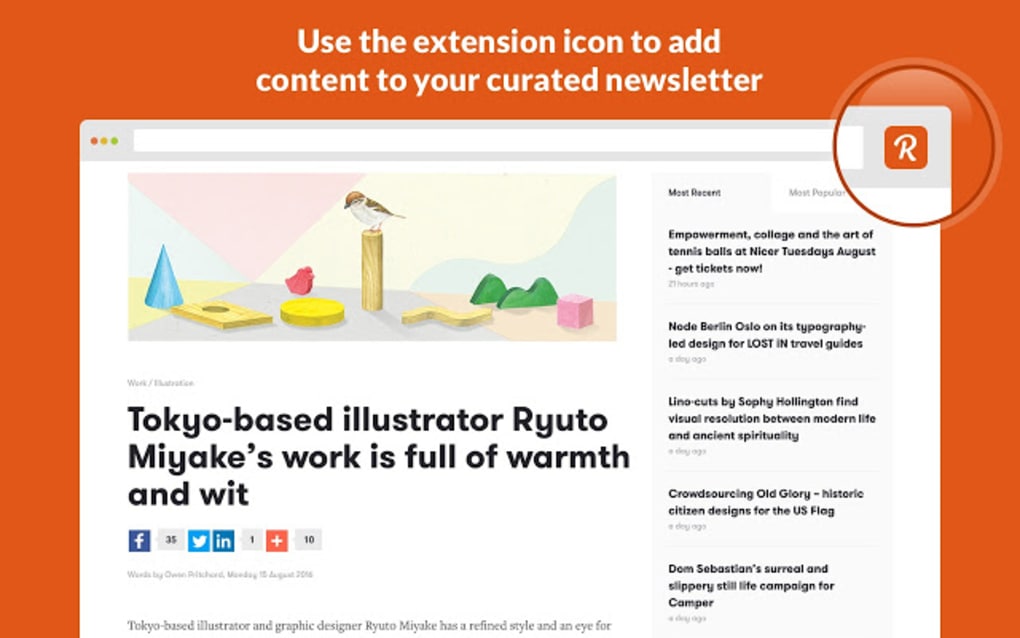
- Chrome Extension: Visit the Chrome Web Store, search for “Revue Newsletter Extension,” and click “Add to Chrome.” A confirmation dialog appears; approve it, and the Revue icon will appear next to your address bar.
- iOS App: Open the App Store on your iPhone or iPad, search for “Revue Newsletter,” and tap “Get.” The app will download and install automatically.
- Account Creation: Launch the extension or app, then sign up using your email address or OAuth (Google, Apple). Verify your account via the confirmation email.
- Connect MailChimp (Optional): In the Revue dashboard, navigate to “Integrations,” select MailChimp, and authorize access. Your existing subscriber lists will appear for easy import.
- Configure Settings: Choose your preferred default template, set your brand colors, and upload your logo under “Branding.”
Typical Daily Workflow
Once installed, using Revue becomes a fluid part of your content creation routine. Imagine you’re drafting a weekly roundup in Gmail:
- Draft Creation: Open Gmail and start composing a new email. Write your copy as you normally would.
- Insert Links Instantly: Highlight the phrase “Read the full article,” click the Revue icon, and paste the destination URL. Revue automatically shortens the link, adds UTM parameters, and logs the click for analytics.
- Preview & Branding: Click the Revue preview button to see how the newsletter will appear on desktop and mobile. Adjust branding elements if needed.
- Subscriber Selection: If you’ve synced MailChimp, choose the appropriate list (e.g., “Tech Enthusiasts”) from a dropdown within the extension.
- Schedule or Send: Either hit “Send Now” or schedule the newsletter for a later time slot that aligns with your audience’s peak engagement hours.
- Analytics Review: After delivery, return to the Revue dashboard (web or iOS) to monitor open rates, click‑throughs, and unsubscribe trends. Use this data to refine future content.
This streamlined process eliminates the need for external link shorteners, manual list uploads, or separate email clients. By centralizing these actions within Revue, you maintain a consistent workflow that reduces errors and accelerates publishing cycles.
Compatibility, Pricing, and an Honest Look at Pros & Cons
Compatibility: Revue is built for modern browsers and mobile devices. The Chrome extension works on Windows, macOS, and Linux systems that support the latest Chrome version. The iOS app requires iOS 13 or later, ensuring compatibility with most current iPhones and iPads. While there is currently no native Android app, the web version is fully responsive and can be accessed via any mobile browser.
Pricing Structure
Revue offers three clear pricing tiers:
- Free Plan: Up to 200 subscribers, basic analytics, and standard branding. Ideal for hobbyists and small creators.
- Growth Plan – $8/month: Unlimited subscribers, advanced analytics, custom domain support, and priority email support.
- Professional Plan – $15/month: All Growth features plus team collaboration tools, API access, and dedicated account manager.
All plans are billed monthly with a 14‑day free trial for the paid tiers, allowing you to test premium features before committing.
Pros
- Intuitive one‑click link insertion saves time.
- Seamless MailChimp integration eliminates duplicate work.
- Free tier is generous enough for early‑stage newsletters.
- Responsive iOS app enables on‑the‑go publishing.
- Robust analytics provide actionable insights.
- Secure data handling meets GDPR compliance.
- Regular updates keep the tool current and bug‑free.
Cons
- No native Android app (reliance on web version).
- Advanced features (e.g., API access) locked behind paid plans.
- Limited template customization compared to dedicated email builders.
- Only Chrome extension available; Firefox users must use the web app.
Overall, the strengths of Revue—especially its ease of use and integration capabilities—far outweigh the relatively minor limitations. For most creators, the free plan offers sufficient functionality, while the paid tiers unlock scalable growth options without a steep price curve.
Frequently Asked Questions About Revue
Can I import subscribers from platforms other than MailChimp?
Yes. While MailChimp is the primary native integration, you can import a CSV file of contacts directly through the Revue dashboard. The CSV should include columns for email address, first name, and any custom fields you wish to retain.
Is the Chrome extension safe to use with sensitive content?
Absolutely. Revue encrypts all data in transit using TLS 1.3 and stores subscriber information on secure, GDPR‑compliant servers. The extension itself does not retain any content locally on your machine.
How does Revue handle email deliverability?
Revue partners with reputable ESPs (Email Service Providers) to ensure high deliverability rates. You can also configure custom sending domains in the Professional plan to further improve inbox placement.
Can I schedule newsletters to be sent at specific times?
Yes. Both the web dashboard and iOS app feature a scheduling tool that lets you pick a future date and time for delivery, respecting your subscriber’s time zones.
What support options are available for free‑tier users?
Free users have access to a comprehensive knowledge base, community forums, and email support with a 48‑hour response window. Paid plans receive priority email support and, for the Professional tier, a dedicated account manager.
Conclusion & Call to Action
Revue delivers a compelling blend of simplicity, integration, and analytics that makes newsletter creation feel effortless. Whether you’re just starting out with a modest list or scaling to thousands of subscribers, the platform’s free tier and affordable paid plans provide a clear path for growth. Its one‑click link insertion and MailChimp sync eliminate the repetitive tasks that often deter creators, while the iOS app ensures you stay productive wherever you are.
The minor drawbacks—such as the absence of a native Android app—are outweighed by the overall value and security the service offers. Ready to streamline your newsletter workflow? Download Revue today, start your free trial, and experience a faster, more secure way to engage your audience.







